Pages

Showing posts with label for. Show all posts

Thursday, May 19, 2016

KitKat for HTC One Google Edition is out Sense version coming soon!


Android "four point four" (aka KitKat) is what most HTC One users are still eagerly waiting for. The "senseless" version is already available to download via Over The Air (OTA) update on the HTC One Google Play Edition.

If you havent received the update yet, or you dont have a Google Play Edition variant of the HTC One, you can still have a taste of the fresh Google goody. Just navigate to my HTC One Google Play Edition thread on the xda-developers forum and download Android Revolution HD based on Android 4.4 KitKat for the HTC One.

What weve already learned so far is that youll probably need an S-OFF device in order to properly boot KitKat custom ROM. Its a weird issue we still investigate and we hope to come up with some more convenient solution soon!

Also some good news for HTC Sense fans - Android 4.4 with HTC Sense 5.5 on board will be available very soon! Dont be upset its still Sense 5.5 instead of Sense 6.0. New update will bring a lot of bugs fixes and all the goodies Android 4.4 comes with. Stay tuned!

Have any questions or comments? Feel free to share! Also, if you like this article, please use media sharing buttons (Twitter, G+, Facebook) below this post!
Read More..

Thursday, May 12, 2016

Give away! Win a brand new HTC One!


Edit: 9.10.2013
The contest is now closed. Im trying to reach the first randomly selected person to confirm if he (yes, its "he") has a Twitter account and he entered the contest properly.

If he wont answer me within next 24 hours I will pick another winner. Stay tuned and check your Google Hangouts ;)

Here comes another give-away! This time the winner will get a brand new HTC One. Previously, a brand new HTC One X+ in a limited white colour went to Barry.

This give-away is international, which means everyone from around the world can enter and win! HTC One is also supported by Android Revolution HD on XDA Developers Forum under this link.

Why HTC One?

Because its still the best Android device you can find on the market. HTC partnered with Robert Downey Jr. (RDJ) on a series of #HTChange videos that only he could come up with. To enter the contest, you need to visit first a short RDJ change video  available here - http://s.htc.com/1fKG6Rr

Rules
  1. Watch this video - http://s.htc.com/1fKG6Rr
  2. In the comments section beneath this post answer one of these two questions:
    1. what would you like to change in the Android OS?
    2. what was the most important change in your life? You might use just a few words, but you might come up with a whole story too.
  3. Share this give-away announcement on Twitter (short link: http://goo.gl/Hfq5d2) using the #RevolutionChange hashtag - this is very important for us to see you actually entered the contest!


The winner will be picked randomly on Wednesday, October 9th 2013.

    Prize

    As mentioned above, its a brand new HTC One in a variant of your choice (GSM or GSM+LTE).


    Good luck everyone!


    Have any questions or comments? Feel free to share! Also, if you like this article, please use media sharing buttons (Twitter, G+, Facebook) below this post!
    Read More..

    Sunday, May 8, 2016

    Android 4 3 for HTC One now available for everyone


    As previously promised here, the new Android Revolution HD based on Android 4.3 and HTC Sense 5.0 is ready for everyone to download.

    HTC hasnt released yet the international (WWE) update for HTC One, so users with international version of HTC One (M7_UL) are still waiting for Android 4.3 to come. As a workaround, Android Revolution HD is based on recently released Android 4.3 OTA for HTC One "Developer Edition". By checking byte to byte its quite easy to notice that the software from international edition (401) and developer edition (1540) are almost the same. So instead of waiting for WWE OTA, Android Revolution HD 22.0 has been "WWE-ed", which means it works identically to WWE software. All WWE languages are included.

    So, if you dont want to wait for WWE OTA update for your HTC One, please visit this thread and get the latest Android Revolution HD 22.0 with Android 4.3 and HTC Sense 5.0.

    Have any questions or comments? Feel free to share! Also, if you like this article, please use media sharing buttons (Twitter, G+, Facebook) below this post!
    Read More..

    Friday, May 6, 2016

    Stock system dumps Android 4 3 with official HTC Sense 5 5 for HTC One


    First official update with brand new HTC Sense 5.5 for the HTC One arrived today. The new software number is 3.62.401.1 and its based on Android 4.3. To receive the OTA update your device must be running 2.24.401.8 software and you must own the international version of HTC One (M7_UL). If there is no update for you CID yet, you can download and flash stock system dump instead.

    HTC One thread - HTC One *STOCK* ROM | 3.62.401.1 | Jelly Bean | HTC Sense 5.5

    Download links can be found on this blog, under Downloads section - Downloads

    The official list of changes from the OTA update:
    • System Improvements
      - Android 4.3 and HTC Sense 5.5 update
    • Video Highlights improvements
      - Updated interface
      - Add soundtracks to videos
    • BlinkFeed improvements
      - Access recommended news from your social network
      - Additional global news sources
      - Save articles to read later or offline
      - Create custom feeds from news media, Twitter and YouTube
    • Music improvements
      - Updated interface
      - Embedded music channel with new scenes
    • Sense TV improvements
      - Updated interface
      - Add MY Picks Page to improve program management
    Have any questions or comments? Feel free to share! Also, if you like this article, please use media sharing buttons (Twitter, G+, Facebook) below this post!
    Read More..

    Thursday, April 28, 2016

    Cloud mobile supercharged growth for small businesses


    India’s small businesses aren’t small when it comes to economic impact. They employ over 106 million people, make up almost a quarter of the workforce, and contribute close to half of the nation’s manufacturing output. As the country looks to drive growth, create jobs and increase exports as part of the Digital India initiative, we teamed up with Deloitte to see how cloud and mobile tools could help small businesses support these national goals, and the results are striking.

    The new report, “Connected Small Business — Unlocking India’s digital potential” finds that businesses that use cloud and mobile tools are more profitable, more innovative, export more and have happier, more productive staff. Compared to offline businesses, those that use cloud and mobile tools grow 27% annually, are four times more innovative and are 65% more likely to be exporting.

    They’re also job creators — 84% said they’re hiring. With employees at these digitally engaged businesses six times more satisfied with their work and nine times more collaborative, it’s clear that technology decisions are impacting more than the bottom line: they also create happier, more productive employees.

    As someone who talks with businesses about how Google Apps for Work has helped their businesses grow, go global or connect and collaborate with their employees more easily, these findings put some numbers to the great stories I hear everyday.
    Freshdesk employees collaborate on tablets at their Chennai office.


    Take software startup Freshdesk for example. Founded in Chennai in 2010 with eight staff, they now employ over 450 people and have over 59 million end users — 90% of which come from outside of India. Google Apps has supercharged their team’s ability to meet this rapid growth. With Google Drive, employees work together on documents in real time from anywhere, on any device. While video conferencing with Google Hangouts helps the team stay in touch regardless of timezone or location.

    Or take Bangalore delivery business SpoonJoy: founded in 2014, they now deliver around 3,000 healthy and delicious meals to hungry Bangaloreans everyday. Their team uses Google Apps and estimates that cloud and mobile tools enable them to open their business in a new area in a third of the time it would take without these tools.

    It’s not just startups or technology businesses that are reaping these digital dividends. Logistics company Pickingo estimates that having real-time access to delivery information with cloud and mobile tools has increased its orders by around 15%. Manufacturing company EMCO attributes 30% of their business growth to the adoption of digital technology.

    Companies that are able to collaborate across teams and even continents are the ones unlocking great ideas that are succeeding in India today. These businesses understand that being digitally engaged goes beyond having a website. They’re enabling their staff to work from anywhere on any device, and are making important business information accessible to them. With India focused on supercharging economic growth and employment, the winning formula could just be the greater adoption of cloud and mobile tools by the countrys small businesses.
    Read More..

    Tuesday, April 19, 2016

    HTC One with KitKat and HTC Sense 5 5 is finally out!


    Android 4.4 KitKat with HTC Sense 5.5 is now available for the HTC One. This is a must-have update for all HTC One owners.

    Sounds great? Well, you might not be happy after all. So far the update is available only for the owners of the Developer Edition of the HTC One. But there is a good news too - you can have KitKat update on your "regular" HTC One too, without waiting for the official update (which might take few more weeks).

    To make it possible, Android Revolution HD has been updated to 40.x series, based on the official Android 4.4 KitKat & HTC Sense 5.5 update (4.06.1540.2). 

    Why KitKat update is that important? It has several very important changes:
    1. Vastly improved security
    2. Smarter "Location" settings
    3. Better performance
    4. Improved battery consumption
    5. Faster multitasking
    6. Better Google Hangouts integration
    7. ...and much more!
    Here are some screenshots. You can see the new Location settings panel.


    Users feedback so far leaves no doubts - this update brings significant performance improvements. Some users are even reporting, that Android 4.4 with HTC Sense 5.5 gives better performance experience than pure KitKat update for the HTC One Google Edition which we wrote about here. I think this is enough said. Dont stay on your old 4.3 OS and grab newest 4.4 update as soon as possible!

    Link to the original XDA-developer thread
    Link to the download page

    Have any questions or comments? Feel free to share! Also, if you like this article, please use media sharing buttons (Twitter, G+, Facebook) below this post!
    Read More..

    Thursday, April 14, 2016

    How to check if the phone is connected to the Internet

    to check whether your phone is connected to the Internet, use the following code:
    ConnectivityManager con=(ConnectivityManager)getSystemService(Activity.CONNECTIVITY_SERVICE);
    boolean wifi=con.getNetworkInfo(ConnectivityManager.TYPE_WIFI).isConnectedOrConnecting();
    boolean internet=con.getNetworkInfo(ConnectivityManager.TYPE_MOBILE).isConnectedOrConnecting();

    these lines check for internet connection whether it is through WiFi or Mobile Internet.

    you need to add the following permission to the AndroidManifest.xml file
    <uses-permission android_name="android.permission.ACCESS_NETWORK_STATE" />

    Another method is what our freind Kevin mentioned in the comments, is to check if a certain website is reachable or not like this:
    public static boolean isOnline() {
    try {
    InetAddress.getByName("google.ca").isReachable(3);
    return true;
    } catch (UnknownHostException e){
    return false;
    } catch (IOException e){
    return false;
    }
    }

    we check if a site is reachable within a certain timeout or not.
    Read More..

    Tuesday, April 5, 2016

    Google for Education hits the road


    (Cross-posted on the Google for Education Blog.)

    Remember back in 2008 when the Google for Education team road-tripped across the US, visiting universities using Google Apps for Education? We hardly do, either, which is why we were itching to get back out on the road. This time in the UK. And we brought along a pop-up classroom instead of a bio-fuel bus.

    In four weeks, we visited seven schools in England, Wales and Scotland that are doing inspiring and creative things with education technology. We wanted to hear more about how Google for Education tools are helping them to transform their approach to teaching and learning, and we wanted to provide an opportunity for other educators nearby to hear and learn from them, too.
    Our pop-up classroom at Wigan UTC


    And we werent disappointed. We heard from Cramlington Learning Village in Newcastle, where Physical Education students have become more engaged by doing their own real-time personalized fitness tracking with Google Sheets on their Chromebooks. That’s what we call healthy competition!

    Students of GSCE Physics were getting a last-minute helping hand with their study thanks to revision videos created by the science department hosted on Youtube at The Streetly Academy in Birmingham. “What’s great about them is that we’re used to their style of teaching and their voices – and our teachers know how we learn best,” says Jack Webb, a student of The Streetly Academy.

    City Heights E-Act Academy in London also gave media teachers some great ideas, by showing us how their students utilized Google Drive when creating their BBC School Report and giving us a demonstration of their HTML writing abilities.
    Students at City Heights E-Act Academy showed off their HTML writing capabilities


    We also loved how inquisitive students at the Horsforth Campus of Leeds City College used Google Draw to document and track changes to nearby wetland areas over time, based on their hypothesis about how a nearby motorway is affecting the surrounding ecosystem.
    Students at Preston Lodge High School working collaboratively in our pop-up classroom


    We toured the world’s first controlled-environment agricultural facility using a Vertical High Density Growing system in an educational institution at Wigan UTC. There, budding food technicians can get hands-on with technology that can help to combat current and future food production issues, working together to track production levels collaboratively with Google Sheets.

    In East Lothian, the pipe band at Preston Lodge High School treated us to a roof-lifting performance to start the morning!
    The Preston Lodge High School Pipe Band warming up


    We heard lots of teacher tips along the way, but our favourite was from Assistant Headteacher David Beesley, who uses boomerang for Gmail to set his emails to send at times he knows his staff are at their desks.
    Asst. Headteacher David Beesley sharing his favourite Gmail tips


    Students at St. Julians showed us their favourite apps on Google Play
    One day Google for Education might pop up—or roll into—a town near you, but in the meantime you can check out a video of our pop-up classroom being built, captured by the impressive media students at St. Julian’s in Newport, Wales.
    Read More..

    Monday, March 28, 2016

    Sense 6 Toolbox for HTC One HTC One M8


    Happy day for all users who love to customize their HTC Sense UI! Sense 6 Toolbox (previously Sense 5 Toolbox) is known to be the best and the most advanced tool to customize your Sense 5/6 based device. It’s based on Xposed eco-system and it allows you to change a lot of settings of the user interface, including colour schemes and different layout styles.

    More details can be found here ---> Sense 6 Toolbox with Android Revolution HD

    Want to see some goodies it offers? Just take a look!


    Some of the features you can find in Sense 6 Toolbox:

    Interface mods
    ·         Transparent statusbar and notification drawer
    ·         Center clock, AM/PM removal, traffic meter, horizontal EQS
    ·         Gestures to manipulate recent apps and additional information about each app, AOSP styled recents
    ·         [Sense 6] Custom color themes for every app

    Statusbar mods
    ·         Icons by vomer (CleanBeam)
    ·         Customizable color themes for all new statusbar icons
    ·         Ability to hide icons

    Sense mods
    ·         Transparency for many UI elements (dock, clock widget, app drawer, folders, etc)
    ·         Infinite apps in folders, 7 home screens, home popup menu, more grid options for homescreens and app drawer
    ·         Actions for vertical swipes and shaking on homescreens, horizontal swipes on dock

    Messaging mods
    ·         Wake on SMS, increase MMS size
    ·         Replace delivery notifications with toasts
    ·         Increase MMS size

    Controls mods
    ·         Volume2wake
    ·         Activate flashlight on power long press
    ·         Bind actions to hardware buttons (Back long press and swipe up from Home)
    ·         Bind actions to volume keys for camera and music playback controls
    ·         [M8] Smaller softkey bar

    Various mods
    ·         Advanced Power Menu
    ·         Show more information about installed apps and apps that are being installed
    ·         Improved screen locking and unlocking
    ·         Hardware buttons backlight control
    ·         Large caller photo in dialer and on lockscreen during calls
    ·         Disable unwanted notifications and confirmation dialogs
    ·         On/off screen animations (Fade, CRT)

    Full list of the features can be found here - complete mods list.

    Sense 6 Toolbox is tested and fully compatible with Android Revolution HD 5.0 for the HTC One M8 you can download from this xda-developers thread.

    Official Sense Toolbox homepage

    Have any questions or comments? Feel free to share! Also, if you like this article, please use media sharing buttons (Twitter, G+, Facebook) below this post!


    For latest news follow Android Revolution HD on popular social platforms:

    Read More..

    Monday, March 21, 2016

    New Rooting Tools 0 9 for the HTC One M8 3 28 401 7


    Along with the latest Android 4.4.4 system dumps for the HTC One M8 we prepared an updated Rooting Tools 0.9 for the newest 3.28.401.7 system software. Whats included?
    • [boot.img] disabled ro.adb.secure and ro.secure
    • [boot.img] disabled USB debugging icon on statusbar
    • [boot.img] enabled USB debugging by default
    • [boot.img] init.d scripts support (system/etc/init.d)
    • [boot.img] removed trigger command to execute install_recovery.sh to prevent stock recovery from being re-installed after each system reboot
    • latest SuperSu application (Superuser.apk) and binaries (su, daemonsu) (chainifre)
    • proper init.d script to run daemonsu binary as a daemon
    • special wp_mod.ko kernel module to disable HTC system RW protection (flar2)
    • proper init.d script to insert the wp_mod.ko module into the kernel
    • busybox
    • sysrw/sysro binaries for quick system partition re-mount
    Device rooted with the above method should have no problems installing latest official OTA update because:

    a) OTA update checks for files integrity, but it doesnt check if any extra files were added to the system partition.
    b) OTA update doesnt check the integrity of the boot.img, so you can even flash a custom kernel if you want.

    boot.img source: 3.28.401.7
    target device: HTC One M8 (0P6B10000)
    target device OS version: 3.28.401.7

    Download:
    Rooting Tools are available for download here. More details and discussion about Rooting Tools can be found on my XDA thread.

    If you are a power user and a custom ROMs flasher, you can also grab the latest Android Revolution HD based on the 3.28.401.6 update with many extra goodies under the hood.

    All above files can be accessed via Downloads Page on my blog.

    Do you have any questions or comments? Feel free to share! Also, if you like this article, please use media sharing buttons (Twitter, G+, Facebook) below this post!


    For latest news follow Android Revolution HD on popular social platforms:

    Read More..

    Thursday, March 17, 2016

    Redtube APK Watch Redtube From Android Mobile XXX APK Porn APP Free Download

    Redtube APK | Watch Redtube From Android Mobile | XXX APP | Porn APK Free Download

    Redtube APK | Watch Redtube From Android Mobile | XXX APP | Porn APK Free Download

    Redtube APK | Watch Redtube From Android Mobile | XXX APP | Porn APK Free Download


    Watch RedTube videos

    from your Android phone or tablet.
    Worlds Most Popular Adult Video Tube Website is Now Accessible from Android App

    Watch and Download videos on the go! Download the APK. Its free!
    It is an 18+ Android App

    Redtube APK | Watch Redtube From Android Mobile | XXX APK | Porn APK Free Download

    Click Here to Free Download Redtube APK

    Redtube APK | Watch Redtube From Android Mobile | XXX APK | Porn APK Free Download

    Read More..

    Tuesday, March 15, 2016

    HTC Car Kit for HTC One short review


    To be completely honest, Im not a fan of original phone accessories. They are very expensive and this high price is very often overrated. But this time I made an exception and bought original HTC car holder. And I do not regret that decision.

    Typical car holder from "nobody knows where this company comes from" costs from $10 to $30, while HTC Car Kit is available for about $50 - $70. This is 3-7 times more expensive, but I believe this is well spent money. Let me explain why.

    • Mounting
    HTC Car Kit can be mounted in two ways. You can fasten in to the front window of your car, or you can use additional adhesive disk, that comes in the box and attach it on your dashboard. Normally you cant attach regular and cheap car kit on your dashboard because of rough surface of the dashboard. This is a very nice solution, giving you opportunity to choose whether you want your Car Kit to be attached to the window, or to the dashboard without covering up your view. Also, its very easy to mount the entire Car Kit and there is no risk of breaking anything.

    • Build quality
    Its just perfect. This is one of the biggest positive aspects of having original accessories. There are no crack sounds, the used plastic is very solid and it looks aesthetic. The swivel neck is made of aluminium and you can rotate is in every direction. There are also no plastic hooks you can break accidentally. The resistance of the aluminium neck is very good. The cradle holds the device securely and firmly, so you dont need to be afraid that your device will fall out, unlike with the cheaper solutions I had in the past. However, without the cable attached in the cradle the device looses its stability (because nothing "holds" it inside the cradle) and can fall out. It is a problem, since not every driver want to drive with a cable attached all the time.

    • Features
    HTC devices comes with preloaded software you can run while driving in the car. With HTC Car Kit this application can be launched automatically every time you connect your device to the holder. Its nothing unique in the cradle itself, but it is the attached USB cable that does the trick. The micro USB part has a special terminal with a clips. Once your HTC One will detect it, HTC Car mode application will be launched. However, this feature can be of course turned off in settings. You cant have this feature working correctly with non-HTC Car Kit.

    • Equipment
    Like every other original HTC accessory, the HTC Car Kit comes in a very nice box, where you can find the holder itself (made of plastic cradle, aluminium neck and plastic base with wheel and suction pad tab), micro-USB cable with a special terminal, adhesive disk, very nice looking car charger and short, multi-language user guide. The cable is very long, which I find as a drawback, because it has 2m, while 1m should be perfectly enough. Probably I will have to bind the cable and it wont look very cool. Replacing it with a shorter cable is not an option because of missing terminal in regular micro-USB cables.


    • General conclusion
    HTC Car Kit is worth its price. It looks way better then any regular car holder and I can surely say it is a premium product for a premium device, just like HTC One is. Its easy to use, easy to clean and it gives you additional control over your device with HTC Car mode application. Also, you can mount it however you like - on the window or on the dashboard. If you own HTC One and you are a car driver, I strongly recommend you buying this Car Kit.

    + build quality
    + design
    + alternative mounting methods
    + HTC device detection
    + comes together with micro-USB cable and car charger
    + swivel neck adjustable in every direction

    - price (it is worth the price, but for some it sill might be too much)
    - too long micro-USB cable (should be 1m instead of 2m)
    - the device isnt secured well if the cable is not attached to the cradle

    Have any questions or comments? Feel free to share! Also, if you like this article, please use media sharing buttons (Twitter, G+, Facebook) down this post!

    • Gallery


    Read More..

    Monday, March 14, 2016

    Madison Fifth builds interactive mall experiences for kiosks and mobile using Google Maps APIs


    Editors note: Today we hear from Chris Shirer, President and Chief Strategist of the digital brand management agency Madison + Fifth. Read how Madison + Fifth and Google Maps for Work Partner Woolpert used Google Maps APIs to build an interactive kiosk and mobile apps for the 60-acre Liberty Center mixed-use shopping center.

    When the Liberty Center retail center outside of Cincinnati approached us to provide accessible, intuitive wayfinding for visitors, we saw the opportunity to create something unique — not just a standard kiosk and printed directory. The center includes shopping, restaurants, a hotel, offices and luxury housing, so we wanted to make sure visitors could get around quickly, especially during busy times like this past holiday shopping season. We decided to build a solution that would work on touchscreen kiosks and mobile devices to detect visitors’ locations and give them interactive walking directions in real time.

    We chose Google Maps and Google Maps APIs to do it because Google offers a familiar interface for our customers, lets us layer custom information on top of maps and provides a platform that will allow us to add new features, like delivering relevant, location-based ads. We worked closely with Google Maps for Work Partner Woolpert to build the solution. Woolpert not only helped us with licensing information, but also did the programming based on our design and requirements.

    Because we wanted the directory to work with both touchscreen kiosks and iOS and Android devices, we built a Web app using the Google Maps JavaScript API. The app scales automatically up to the large size of the kiosk and down to smartphones’ small screen sizes. With a Web app, we don’t have to build and maintain apps on multiple devices, and visitors with smartphones don’t have to download anything to use the service.
    We started building the app before the Liberty Center was finished and opened to the public, which meant that Google didn’t yet have mapping information for the center’s streets and stores. We solved this by building a layer with the required information on top of the map. In addition, we had no routing information, so we built an algorithm to provide directions using open source Google Optimization Tools.

    Liberty Center opened its doors on October 22, 2015, and thanks to Google Maps, we’re now delivering an engaging, interactive experience for visitors. People who walk up to the kiosks or use the Web app on their smartphones get customized walking directions based on their current location, and can zoom in and out around the property to explore shops and other destinations. Liberty Center shoppers can spend less time getting from place to place and more time in stores and enjoying time together in restaurants.
    Read More..

    Saturday, March 12, 2016

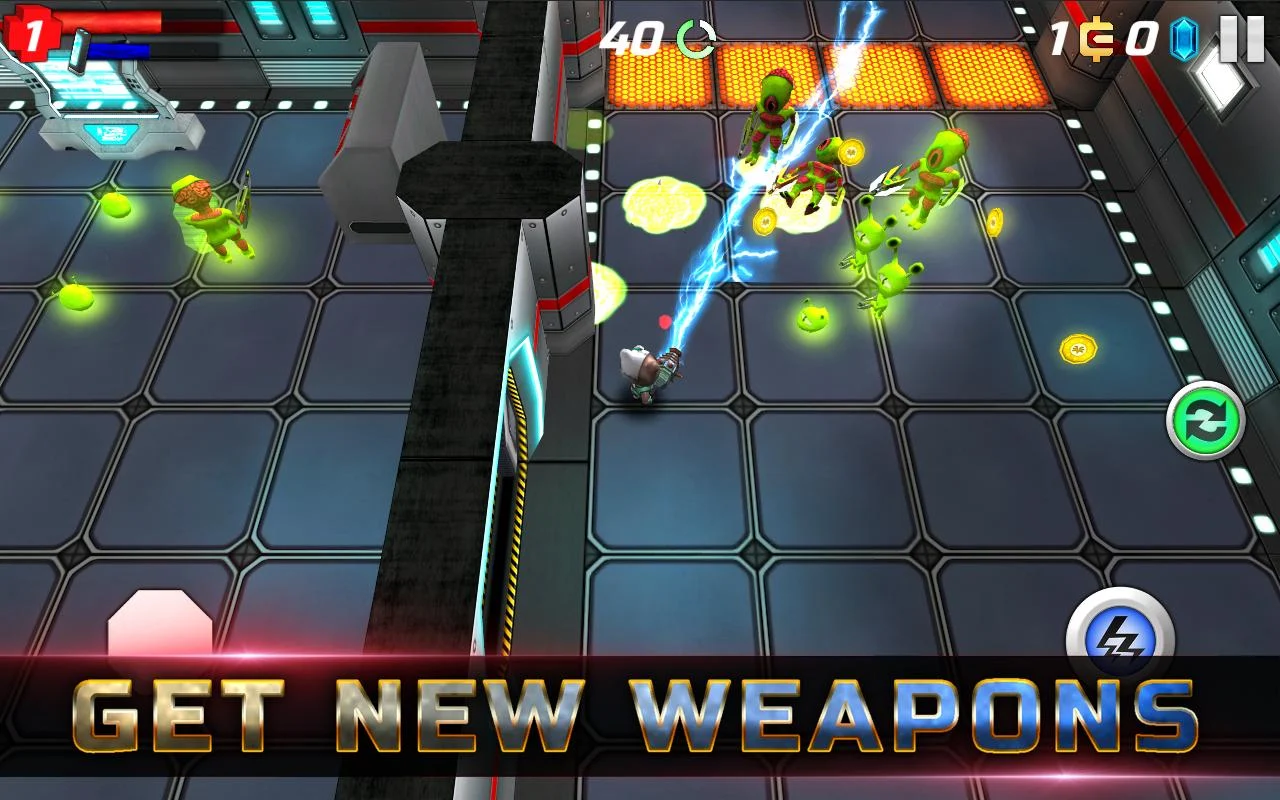
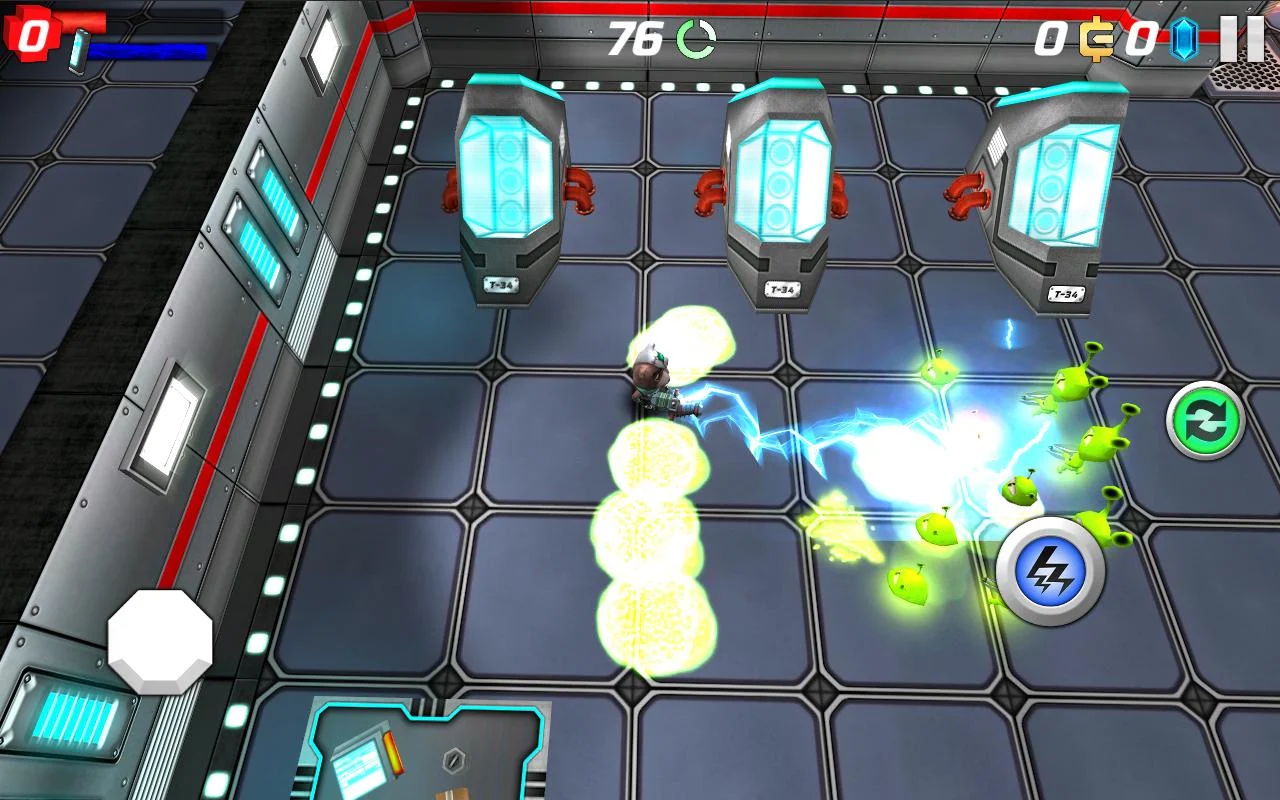
    Tiny Commandos Mod Money Points Android Game Moded


    Salam blogger :)
    Sudah masuk musim hujan nih agans, jgn lupa yaa jaga kesehatannya dan terus main game mod nya :D ... oke game mod kali ini, game action yg keren .. oke cek itss..

    Details Game: 
    Name       : Tiny Commandos
    Version    : 1.91
    Genre       : Action
    Platform  : Android 
    Requires  : Android 4.0  and up

    Modification on Game: 
    1. Mod Money
    2. MOD Points


    Review Modif:


    Screenshoot:


    Tutorial Instal : 
    1. Download APK dan OBB nya terlebih dahulu
    2. Pindahkan kedua nya ke androidmu, lalu instal APK nya. jgn di play dulu.
    3. Extract File OBB nya, lalu Move beserta Folder nya ke "Sdcard0/Android/obb".
    4. Jika sudah, play game nya.
    5. Enjoyyy
    |DOWNLOAD|
    (APK)
    Tiny Commandos - Mod Money&Points[Android Game : Moded]
    (OBB)
    Download OBB Tiny Commandos - Mod Money&Points

    |Download Original game|
    On Playstore

    #Salam Blogger
    #Semoga bermanfaat :)
    #Ask? comments 
    Read More..